GymRatt App
UX Design
The Project
This app is designed to allow a fitness trainer to send instructions from their mobile phone, enabling constant interaction with the client. It includes a direct messaging system, and the trainer can fully monitor the client's progress by viewing training statistics and modifying their routine in real time.
My Contribution
UX Designer responsible for creating a mobile application for instructors to send instructions from their mobile phones, from conception to delivery. This included conducting interviews, creating paper and digital wireframes, developing low and high-fidelity prototypes, performing usability and accessibility studies, and iterating on designs.
The Process
Time
June - August 2023
I conducted user research based on the fact that for all beginners and newcomers to the gym, it's difficult not knowing which exercises to do or how to use the machines, since personal trainers often don't have enough time to assist everyone. Therefore, I focused on the needs of both the beginner and the instructor, as this approach allows the student to start training immediately and without prior knowledge, simply by using the mobile app. The participating users included both beginner and advanced students, and we also had instructors who contributed their perspectives.
Project Summary
The Problem
Students who are new to gym training generally don't know how to use the machines or what types of exercises to do, so the fitness trainer must provide a routine after an initial assessment. The problem is that sending and following up on that routine can take days.
The Objetive
I designed an application that keeps the instructor and student connected in real time, allowing the instructor to send workout routines, modifications, and motivational messages instantly. Furthermore, by simply accessing the student's profile, the instructor can view a summary of the student's progress.
My Role
UX designer responsible for creating an application that allows an instructor to send instructions from their mobile phone, from conception to delivery.
Responsibilities
Conducting interviews, creating paper and digital diagrams, developing low- and high-fidelity prototypes, performing usability and accessibility studies, and iterating on designs.
User Research: Summary
I conducted user research based on the fact that for all beginners and newcomers to the gym, it's difficult not knowing which exercises to do or how to use the machines, since personal trainers often don't have enough time to assist everyone. Therefore, I focused on the needs of both the beginner and the instructor, as this approach allows the student to start training immediately and without prior knowledge, simply by using the mobile app. The participating users included both beginner and advanced students, and we also had instructors who contributed their perspectives.
The Design Begins
The Problem
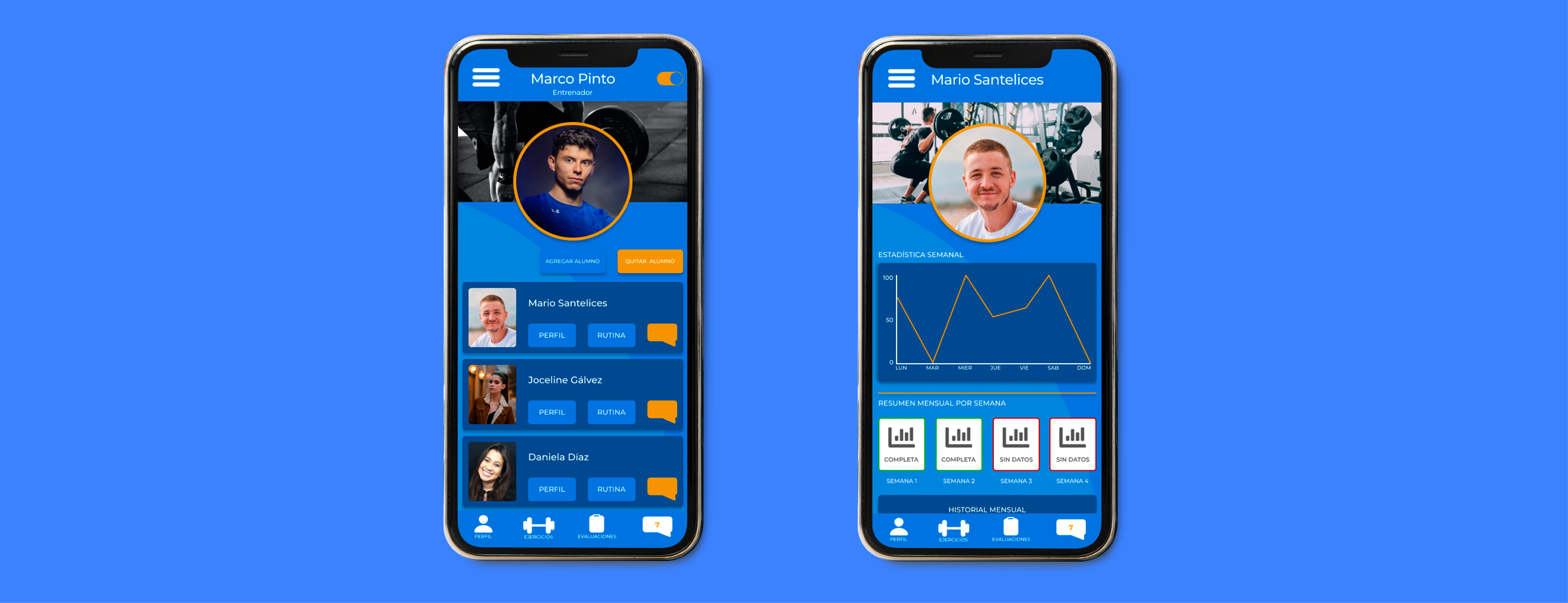
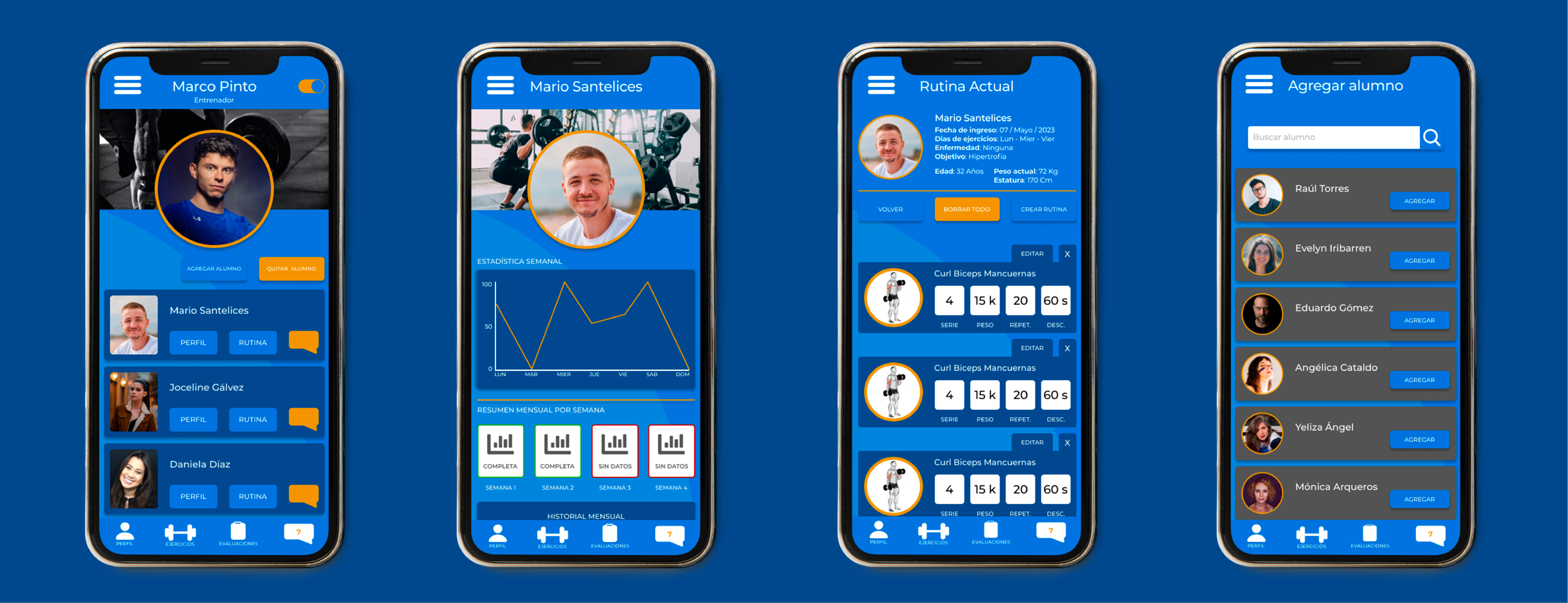
The purpose of the personal trainer's profile screen is to display each of the added clients in an organized manner, allowing the trainer to communicate with them through direct messages, view and edit their workout routines, and review their progress evaluations.
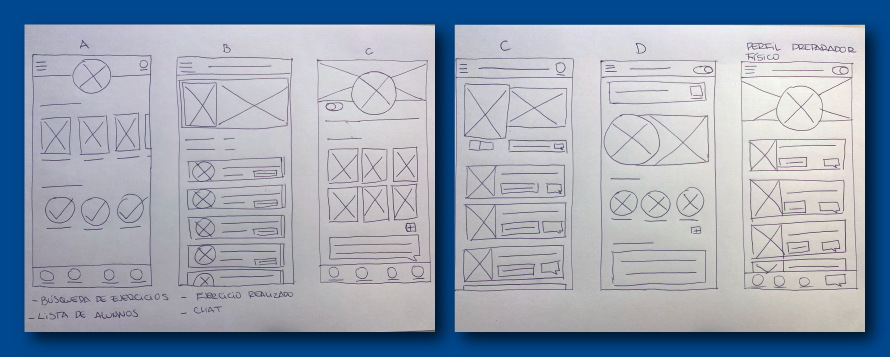
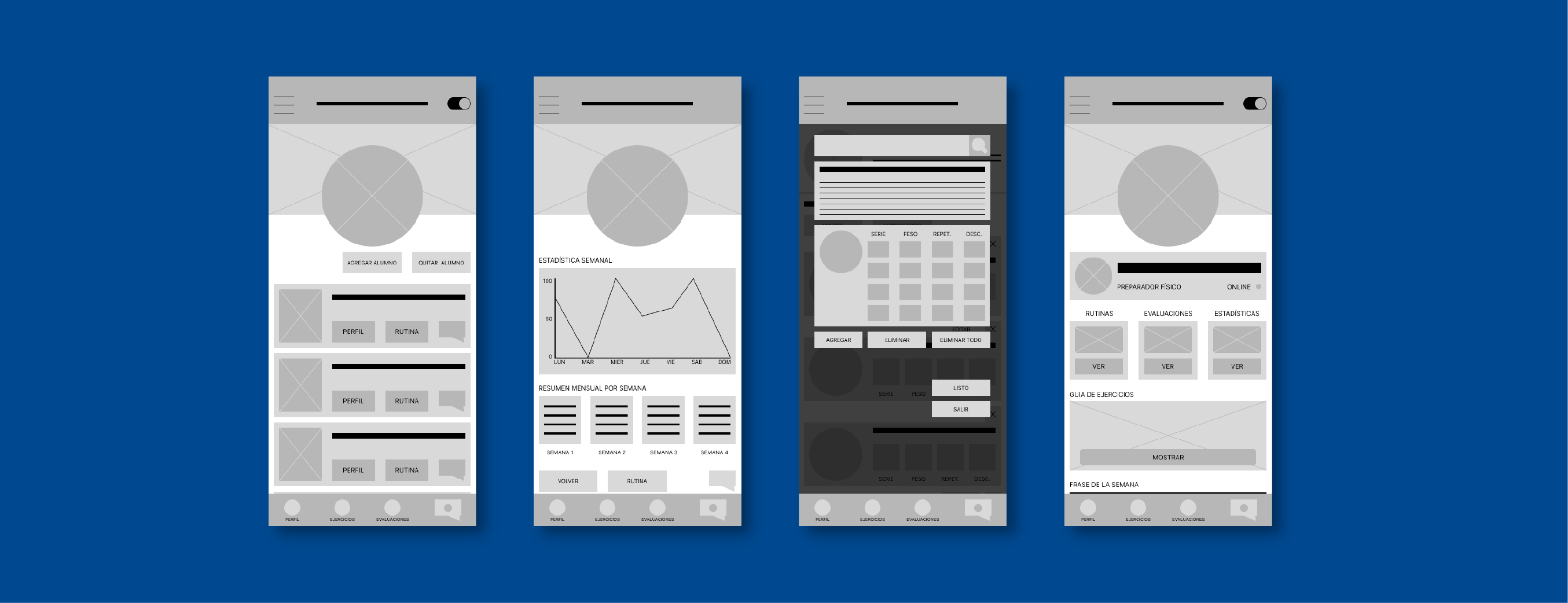
Digital Page Layouts
Generalized designs of some of the app's main sections, showcasing the initial steps of the mockup within what will be the final project. The image that follows shows the prototype before iteration; it represents the project in its initial stage.
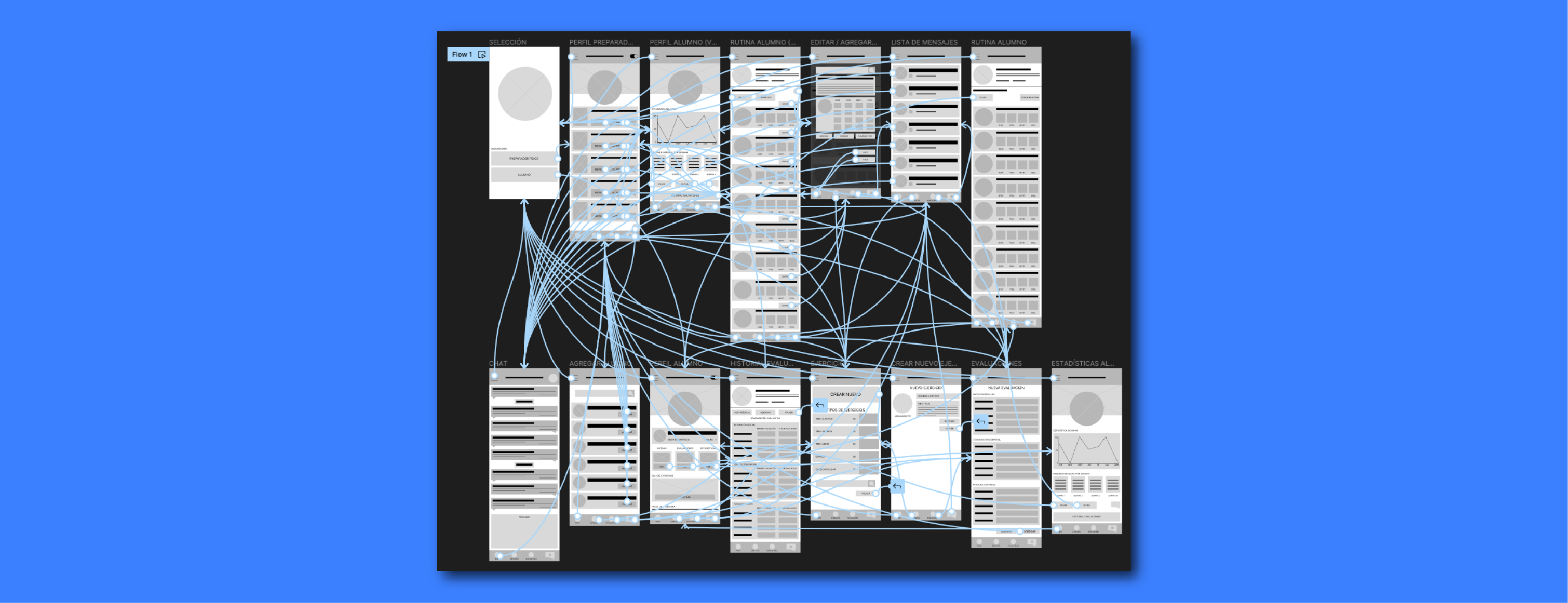
Lo-fi prototype
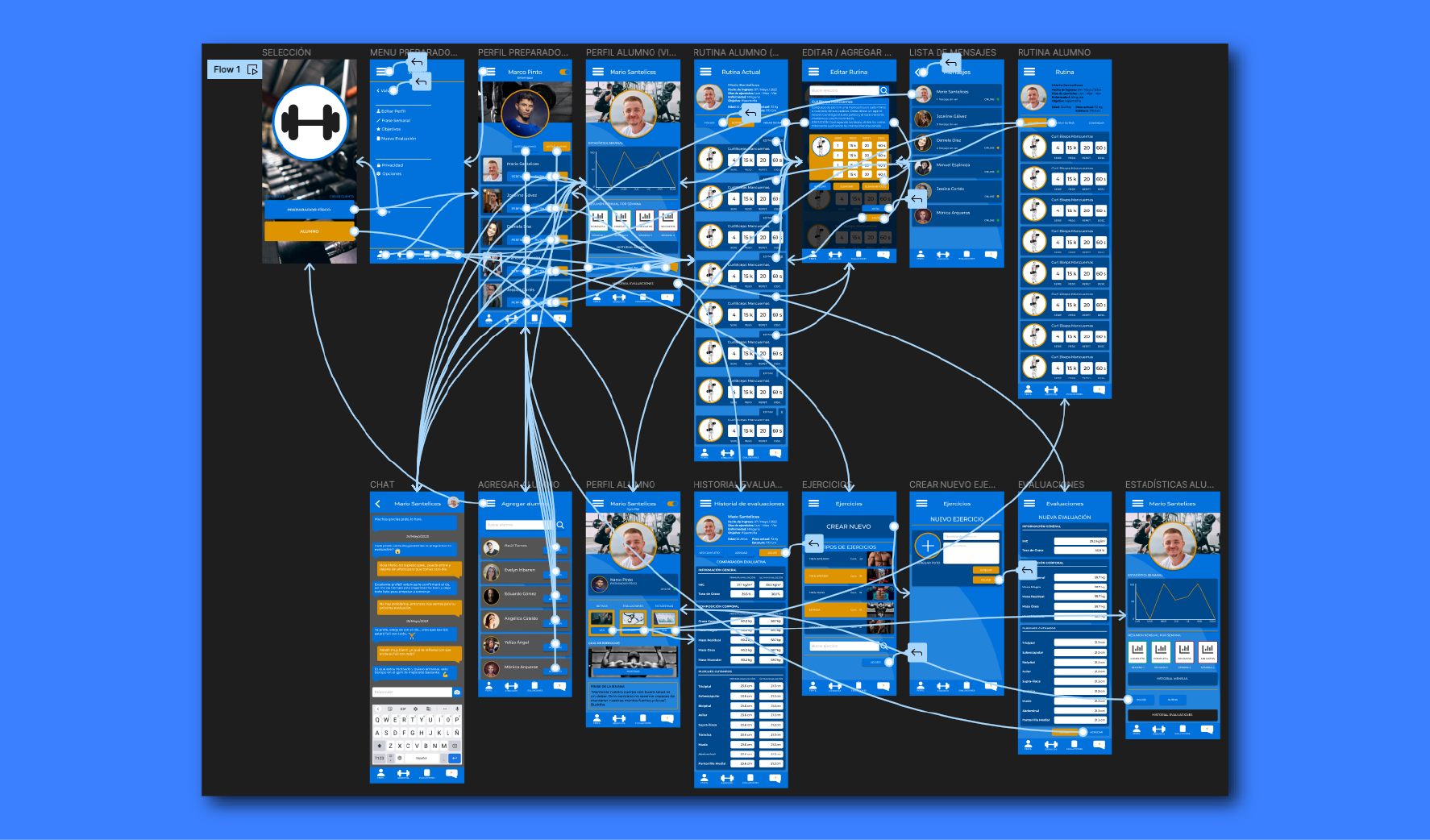
A low-fidelity prototype that shows the interactions between each of the screens.
Hi-fi Models and Prototypes
Models
Final mockups, presenting the high-fidelity project in its final design stage. It's important to note that the final product is the result of several iterations, tests, and rounds of questions and answers.
Accessibility Considerations
I used high-contrast colors between the background and typography, so that anyone with visual impairments can use the app without any problems.
I added animated images of the exercises for a better understanding of them, and I also used icons appropriate for a gym, so that everything feels familiar.
The buttons and calls to action are neither too big nor too small, so the app can be used by people with small hands or large hands.
Hi-fi Prototype
High-fidelity prototype that details the app's operating scheme.
Let's work together?
If you liked what you saw, let's stay in touch!